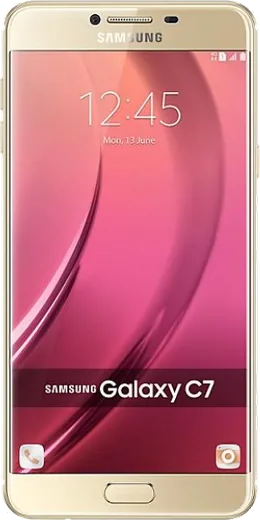
WhatsApp on Samsung Galaxy C7 Pro
Samsung Android

WhatsApp for Samsung Galaxy C7 Pro

Install the official WhatsApp on your Samsung Galaxy C7 Pro in a few simple steps.

WhatsApp Messenger 4.7 · 64.2M reviews Free · Android · ~40 MB · by WhatsApp LLC
Download WhatsApp

Ask a question / report a problem

You can ask any question about WhatsApp support on the Samsung Galaxy C7 Pro — leave it below and we'll help.

Ask a question

Can the Samsung Galaxy C7 Pro run WhatsApp?

Fully supported
  • Operating systemAndroid
  • WhatsApp versionLatest supported

Latest known WhatsApp problems on Samsung Galaxy C7 Pro

1

Why do WhatsApp notification sounds randomly stop working on my Galaxy C7 Pro?

This is usually Android's battery optimization or Do Not Disturb silently throttling WhatsApp in the background. Go to Settings > Apps > WhatsApp > Battery and set it to Unrestricted, then open Settings > Apps > WhatsApp > Notifications and confirm the message notifications and their sound are enabled. Also check Settings > Sounds and vibration > Do Not Disturb to make sure it isn't running on a schedule. If the alert still cuts out, clearing the cache under Settings > Apps > WhatsApp > Storage > Clear cache often restores the tone without touching your chats. See how others solved this on Reddit
2

My Galaxy C7 Pro lock screen isn't showing WhatsApp notifications even though I turned them on. How do I fix it?

Lock screen previews need to be allowed at both the system and app level. Go to Settings > Lock screen > Notifications and make sure notifications are on with content set to Show content, then in Settings > Apps > WhatsApp > Notifications confirm the message notification category is allowed to appear on the lock screen with content shown. If they still hide, set Settings > Apps > WhatsApp > Battery to Unrestricted so the app can wake the device to post them. See how others solved this on Reddit
3

WhatsApp won't start up or keeps crashing on launch on my Galaxy C7 Pro. What can I do?

On the older Android version this phone runs, a failed launch is usually a corrupted cache or an outdated build. First clear the cache via Settings > Apps > WhatsApp > Storage > Clear cache (not Clear data, which would wipe your local chats), then update WhatsApp from the Play Store. If it still won't open, back up your chats in WhatsApp > Settings > Chats > Chat backup, then uninstall and reinstall the latest version. Note that very old Android builds may eventually fall outside WhatsApp's minimum supported version, which can also block startup. See how others solved this on Reddit
4

My WiFi or internet drops whenever I make a WhatsApp call on the Galaxy C7 Pro. Why?

This is typically a router-side issue rather than a phone fault, often a bad SIP-ALG or aggressive QoS setting struggling with the call's real-time traffic. Test by switching to mobile data during a call: if it's stable, log into your router's admin page, disable SIP-ALG, ease any QoS rules, and update the router firmware. As a workaround you can turn off Wi-Fi and use mobile data for calls when on that network. See how others solved this on Reddit
5

Can I read and reply to WhatsApp messages on a smartwatch paired with my Galaxy C7 Pro?

Yes. Pick a Wear OS or Samsung Galaxy Watch model and confirm it supports notification replies, then install the watch's companion app from the Play Store and pair it over Bluetooth. In the companion app, grant notification access for WhatsApp so messages mirror to the watch with quick-reply or voice-reply. Make sure WhatsApp notifications are enabled under Settings > Apps > WhatsApp > Notifications first, or nothing will reach the watch. See how others solved this on Reddit

Ask a question / report a problem

You can ask any question about WhatsApp support on the Samsung Galaxy C7 Pro — leave it below and we'll help.

Ask a question

Watch: setting up WhatsApp

Prefer to watch? This short walkthrough shows the whole installation and number-verification flow.

How to install WhatsApp on Samsung Galaxy C7 Pro — video walkthrough

How to install WhatsApp on Samsung Galaxy C7 Pro

1

Choose how to download

On your Samsung Galaxy C7 Pro you can get the official app two ways: from the Google Play Store — the easiest option, since it keeps WhatsApp updated automatically — or directly from the official website. You can download an APK file, by clicking a link “Download WhatsApp directly”.

2

Open WhatsApp

Launch WhatsApp from your home screen or app drawer and accept the Terms of Service to start setup.

3

Verify your phone number

Enter your phone number. If your Samsung Galaxy C7 Pro uses dual SIM, pick the line you want WhatsApp tied to, then enter the 6-digit code it sends by SMS — it usually fills in automatically.

4

Restore chats and finish setup

Restore your chat history from Google Drive (use the same Google account), add your name and photo, and tap Allow for notifications so messages and calls arrive reliably.

Stay safe: only ever install WhatsApp from the official Android source. The Download button above already points there — modified copies (GB/Plus/Aero WhatsApp) can get your number banned.

Comments (6)

No registration needed. No email required.
T
tan.cNov 11, 2025

Finally two thumbs up

AppWhatsOfficialNov 15, 2025

Happy it helped you!

M
mia_joeSep 14, 2025

Echt richtig klare schritte für das Galaxy C7 Pro danke

B
budgetkingAug 17, 2025

omg PLEASE i need whatsapp on my c7pro its urgent 🙏

AppWhatsOfficialAug 19, 2025

Take a breath, we got you. Press Download above, then Install, then verify your number. That is all it takes.

D
deni_miaJan 22, 2025

The Samsung Galaxy C7 Pro steps actually work unlike other sites 💯

P
pete_kSep 11, 2024

Omg all good on my Samsung Galaxy C7 Pro now

A
amy79Aug 21, 2024

guys easy install on my samsung galaxy c7 pro 🎉