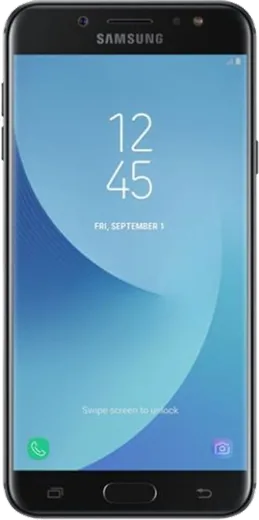
WhatsApp on Samsung Galaxy C7 (2017)
Samsung Android

WhatsApp for Samsung Galaxy C7 (2017)

Install the official WhatsApp on your Samsung Galaxy C7 (2017) in a few simple steps.

WhatsApp Messenger 4.7 · 64.2M reviews Free · Android · ~40 MB · by WhatsApp LLC
Download WhatsApp

Ask a question / report a problem

You can ask any question about WhatsApp support on the Samsung Galaxy C7 (2017) — leave it below and we'll help.

Ask a question

Can the Samsung Galaxy C7 (2017) run WhatsApp?

Fully supported
  • Operating systemAndroid
  • WhatsApp versionLatest supported

Latest known WhatsApp problems on Samsung Galaxy C7 (2017)

1

Why does WhatsApp keep having problems on my Samsung Galaxy C7 (2017)?

Most WhatsApp issues on older Samsung phones come from aggressive battery optimization that closes the app in the background. Go to Settings > Apps > WhatsApp > Battery and set it to Unrestricted (on older firmware, look under Settings > Device maintenance > Battery > App power management and remove WhatsApp from the sleeping/deep-sleeping apps list). Also keep WhatsApp updated through the Play Store, since the C7's older Android version is more prone to compatibility bugs with newer WhatsApp builds. See how others solved this on Reddit
2

My WhatsApp notifications changed and now I miss messages on my Galaxy C7 (2017)

WhatsApp has restructured its notification channels over time, so your old settings may have been reset. Open WhatsApp > Settings > Notifications and confirm Message and Group notifications are toggled on with a sound and popup, then go to phone Settings > Apps > WhatsApp > Notifications and make sure each channel (Messages, Group notifications) is enabled. If they still misbehave, clearing WhatsApp's cache via Settings > Apps > WhatsApp > Storage > Clear cache usually restores normal behavior without deleting chats. See how others solved this on Reddit
3

Why do my WhatsApp notifications come through silently on the Galaxy C7 (2017)?

Silent notifications usually mean the WhatsApp notification channel got set to the 'Silent' importance level or Do Not Disturb is filtering it. In Settings > Apps > WhatsApp > Notifications, tap the Messages channel and switch it to 'Alerting'/'Make sound and pop on screen,' then assign a notification tone. Also check Settings > Sounds and vibration > Do Not Disturb to ensure it isn't muting WhatsApp during certain hours. See how others solved this on Reddit
4

WhatsApp notifications get auto-dismissed before I can read them on my Galaxy C7 (2017)

This typically happens when WhatsApp is also open on WhatsApp Web or a linked device, which clears the phone notification once the message is seen elsewhere. Unlink sessions you aren't using via WhatsApp > Settings > Linked devices. If it persists, check that no third-party cleaner or 'memory boost' app is wiping the notification shade, and confirm WhatsApp notifications are set to stay on the lock screen under Settings > Apps > WhatsApp > Notifications. See how others solved this on Reddit
5

WhatsApp notifications show grouped like '3 messages from 2 chats' on my Galaxy C7 (2017)

Grouped summaries appear when Android batches notifications instead of showing each chat separately. Inside WhatsApp > Settings > Notifications, turn on 'Use high priority notifications' so message previews pop at the top of the screen, and make sure the Messages channel is enabled under Settings > Apps > WhatsApp > Notifications. Because the C7 runs an older Android version with limited per-channel controls, updating WhatsApp to the latest Play Store build also helps restore separate per-chat alerts. See how others solved this on Reddit
6

WhatsApp notifications stopped working after a software update on my Galaxy C7 (2017)

Updates can reset per-app notification permissions, so first confirm Settings > Apps > WhatsApp > Notifications is fully enabled and that WhatsApp is allowed Autostart/background activity. Then exclude WhatsApp from battery saving under Settings > Device maintenance > Battery > App power management (remove it from the sleeping apps list). As a final fix, reinstall the latest WhatsApp from the Play Store and restore your chats from the Google Drive backup so it registers fresh notification channels. See how others solved this on Reddit

Ask a question / report a problem

You can ask any question about WhatsApp support on the Samsung Galaxy C7 (2017) — leave it below and we'll help.

Ask a question

Watch: setting up WhatsApp

Prefer to watch? This short walkthrough shows the whole installation and number-verification flow.

How to install WhatsApp on Samsung Galaxy C7 (2017) — video walkthrough

How to install WhatsApp on Samsung Galaxy C7 (2017)

1

Choose how to download

On your Samsung Galaxy C7 (2017) you can get the official app two ways: from the Google Play Store — the easiest option, since it keeps WhatsApp updated automatically — or directly from the official website. You can download an APK file, by clicking a link “Download WhatsApp directly”.

2

Open WhatsApp

Launch WhatsApp from your home screen or app drawer and accept the Terms of Service to start setup.

3

Verify your phone number

Enter your phone number. If your Samsung Galaxy C7 (2017) uses dual SIM, pick the line you want WhatsApp tied to, then enter the 6-digit code it sends by SMS — it usually fills in automatically.

4

Restore chats and finish setup

Restore your chat history from Google Drive (use the same Google account), add your name and photo, and tap Allow for notifications so messages and calls arrive reliably.

Stay safe: only ever install WhatsApp from the official Android source. The Download button above already points there — modified copies (GB/Plus/Aero WhatsApp) can get your number banned.

Comments (6)

No registration needed. No email required.
M
maxx87May 31, 2026

merci, mon c7 a whatsapp maintenant 👍

V
val.gMay 21, 2025

so best guide for the samsung galaxy c7 by far

O
omar.hMar 8, 2025

Set up whatsapp on my dads samsung galaxy c7 no problem thx

O
omar.iMar 1, 2025

PLEASE i need whatsapp on my c7 its urgent 😩

AppWhatsOfficialMar 4, 2025

Take a breath, we got you. Press Download above, then Install, then verify your number. That is all it takes. It is easier than it looks, promise.

E
ella.nOct 22, 2024

update whatsapp finally on my Samsung Galaxy C7 :)

L
lil_rayAug 29, 2024

quick q download takes forever for me thanks

AppWhatsOfficialSep 4, 2024

Speed comes down to your data or wifi. On a good connection it only takes a few seconds.