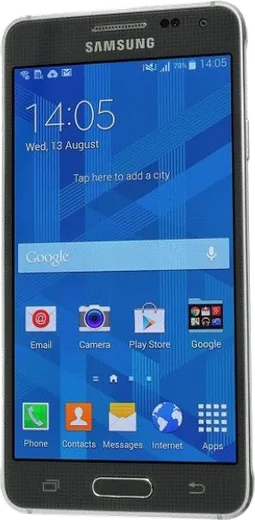
WhatsApp on Samsung Galaxy Alpha
Samsung Android

WhatsApp for Samsung Galaxy Alpha

Install the official WhatsApp on your Samsung Galaxy Alpha in a few simple steps.

WhatsApp Messenger 4.7 · 64.2M reviews Free · Android · ~40 MB · by WhatsApp LLC
Download WhatsApp

Ask a question / report a problem

You can ask any question about WhatsApp support on the Samsung Galaxy Alpha — leave it below and we'll help.

Ask a question

Can the Samsung Galaxy Alpha run WhatsApp?

Not supported
  • Operating systemAndroid
  • WhatsApp versionNot supported

Latest known WhatsApp problems on Samsung Galaxy Alpha

1

Is WhatsApp still supported on the Samsung Galaxy Alpha in 2026?

The Galaxy Alpha shipped with Android 4.4 KitKat and maxed out at Android 5.0.2 Lollipop. WhatsApp has been steadily raising its minimum Android requirement, so newer builds will eventually refuse to install or update from the Play Store on this hardware. An already-installed older version may keep working for a while, but once WhatsApp's servers drop that build it stops connecting and you get a 'this version is too old' message with no way to update on the Alpha. For dependable messaging in 2026 you'll realistically need a newer phone on a currently supported Android version. See how others solved this on Reddit
2

Can the old Galaxy Alpha still handle WhatsApp and other social media apps?

The Alpha's quad-core CPU and 2GB of RAM can technically run a lightweight chat app like WhatsApp, but modern social apps such as Instagram or TikTok are sluggish and many now refuse to install on its old OS. If you only need messaging, install WhatsApp first and avoid running several heavy apps at once. If WhatsApp feels slow, clear its cache via Settings > Application Manager > WhatsApp > Storage > Clear Cache to free up space and keep it responsive. See how others solved this on Reddit
3

How do I install WhatsApp on my Galaxy Alpha if the Play Store says it's incompatible?

When the Play Store blocks the download because of the Alpha's outdated Android version, the official fallback is to download the APK directly from whatsapp.com/android using the phone's browser. Before installing, enable Settings > Security > Unknown sources so the APK can be installed, then open the downloaded file to run the installer. This only works while WhatsApp still supports your Android version, so check the minimum requirement on their download page first, otherwise the installed app will refuse to connect. See how others solved this on Reddit
4

WhatsApp notification previews on my Galaxy Alpha show the sender's name and I want to hide it

In WhatsApp, open Menu > Settings > Notifications and turn off the message preview so the text and contact name no longer appear in the notification. To hide content across all apps on the lock screen, go to Settings > Sound and notifications > When device is locked and choose 'Hide sensitive notification content' (or 'Don't show notifications at all'). On the Alpha's Lollipop build this lock-screen setting is global rather than per-app, but it keeps incoming alerts private without disabling them entirely. See how others solved this on Reddit
5

WhatsApp calls won't connect or keep dropping on my Galaxy Alpha

Call problems on the Alpha are often the system killing WhatsApp in the background, so open Settings > Application Manager > WhatsApp and confirm it isn't restricted, and check that microphone and phone permissions are granted under its Permissions section. Also clear the app cache and try switching between Wi-Fi and mobile data, since the Alpha's older radios handle VoIP unevenly on weak signals. If calls still fail, the underlying cause is frequently an outdated WhatsApp build the servers no longer fully support. See how others solved this on Reddit
6

Can I use WhatsApp on a paired Samsung smartwatch with my Galaxy Alpha?

WhatsApp's official watch app requires a Galaxy Watch4 or newer running Wear OS, which cannot pair with the Alpha's old Android 5.0 system. The Alpha predates Samsung's Wear OS watches and only worked with Tizen-era Gear devices that never received an official WhatsApp app. To get WhatsApp on a watch you would need to upgrade both the phone and the watch to current models. See how others solved this on Reddit

Ask a question / report a problem

You can ask any question about WhatsApp support on the Samsung Galaxy Alpha — leave it below and we'll help.

Ask a question

Watch: setting up WhatsApp

Prefer to watch? This short walkthrough shows the whole installation and number-verification flow.

How to install WhatsApp on Samsung Galaxy Alpha — video walkthrough

How to install WhatsApp on Samsung Galaxy Alpha

1

Choose how to download

On your Samsung Galaxy Alpha you can get the official app two ways: from the Google Play Store — the easiest option, since it keeps WhatsApp updated automatically — or directly from the official website. You can download an APK file, by clicking a link “Download WhatsApp directly”.

2

Open WhatsApp

Launch WhatsApp from your home screen or app drawer and accept the Terms of Service to start setup.

3

Verify your phone number

Enter your phone number. If your Samsung Galaxy Alpha uses dual SIM, pick the line you want WhatsApp tied to, then enter the 6-digit code it sends by SMS — it usually fills in automatically.

4

Restore chats and finish setup

Restore your chat history from Google Drive (use the same Google account), add your name and photo, and tap Allow for notifications so messages and calls arrive reliably.

Stay safe: only ever install WhatsApp from the official Android source. The Download button above already points there — modified copies (GB/Plus/Aero WhatsApp) can get your number banned.

Comments (5)

No registration needed. No email required.
G
gabe_miaApr 27, 2026

ok so no registration needed, love that thanks again

T
the_real_samFeb 8, 2026

Súper sencillo, mi samsung galaxy alpha ya está listo

A
amy_marJun 26, 2025

got it working on my samsung galaxy alpha first try

L
luca80Apr 9, 2025

omg finally got whatsapp running on my Samsung Galaxy Alpha lol

J
justmeFeb 4, 2025

hey stuck and so stressed how do i get whatsapp on Galaxy Alpha 😭

AppWhatsOfficialFeb 8, 2025

We are here to help. Hit Download, follow the steps on this page, and if the code is slow just request it again. You got this!