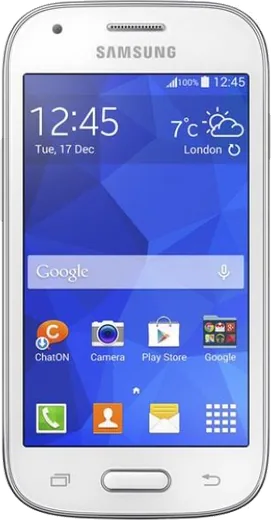
WhatsApp on Samsung Galaxy Ace Style
Samsung Android

WhatsApp for Samsung Galaxy Ace Style

Install the official WhatsApp on your Samsung Galaxy Ace Style in a few simple steps.

WhatsApp Messenger 4.7 · 64.2M reviews Free · Android · ~40 MB · by WhatsApp LLC
Download WhatsApp

Ask a question / report a problem

You can ask any question about WhatsApp support on the Samsung Galaxy Ace Style — leave it below and we'll help.

Ask a question

Can the Samsung Galaxy Ace Style run WhatsApp?

Not supported
  • Operating systemAndroid
  • WhatsApp versionNot supported

Latest known WhatsApp problems on Samsung Galaxy Ace Style

1

Why has WhatsApp stopped working on my Samsung Galaxy Ace Style?

WhatsApp has raised its minimum supported Android version, and the Galaxy Ace Style runs Android 4.4 KitKat, which now falls below that minimum, so the app stops opening or syncing messages. The phone cannot be updated to a newer Android version, so there is no in-app fix. Back up your chats first via WhatsApp > tap the menu (three dots) > Settings > Chats > Chat backup to Google Drive, then restore them on a newer phone. Sideloading a current APK will not help because the operating system itself is too old to run it. See how others solved this on Reddit
2

WhatsApp won't install or keeps crashing on my Galaxy Ace Style, what can I do?

On this phone, crashes are usually low internal storage plus an outdated OS. First free space: go to Settings > Application manager, swipe to the All tab, and clear the cache on large apps; move photos to the microSD card under Settings > Storage. Then uninstall WhatsApp, restart the phone, and reinstall the last Play Store version that still supports Android 4.4, since newer builds will not run. Keeping only a couple of apps open at once also helps because the Ace Style has very limited RAM. See how others solved this on Reddit
3

My Galaxy Ace Style is slow and runs out of memory when using WhatsApp, how do I fix it?

With its small amount of RAM, heavy chats and media will lag or freeze the app. Go to Settings > Application manager > All, select WhatsApp and tap Clear cache (not Clear data, which would wipe your local chats). Then open WhatsApp > Settings > Storage and data and turn off media auto-download so it stops filling memory with photos and videos. Restarting the phone daily and trimming long chats noticeably improves responsiveness on this hardware. See how others solved this on Reddit
4

WhatsApp says my Galaxy Ace Style's Android version is no longer supported, is there a workaround?

Once your Android 4.4 build drops below WhatsApp's required minimum, the app blocks new logins and message sync entirely, and there is no in-app workaround. Before it fully stops, export important conversations from inside a chat: tap the menu (three dots) > More > Export chat, and also run a full backup via WhatsApp > Settings > Chats > Chat backup to Google Drive. After that, the only real solution is restoring that backup on a current phone, since this model cannot be upgraded high enough. See how others solved this on Reddit
5

Should I keep using my old Galaxy Ace Style for WhatsApp or replace it?

Because WhatsApp and most modern apps have outgrown the Ace Style's Android 4.4 and small RAM, it is increasingly unreliable for daily messaging and no longer receives security or app updates. If you mainly need WhatsApp, back up your chats to Google Drive (WhatsApp > Settings > Chats > Chat backup) and restore them on a budget Galaxy A-series phone, which keeps the familiar Samsung software while running current apps. The Ace Style still works fine as a basic offline or backup device. See how others solved this on Reddit
6

How do I move my WhatsApp chats off the Galaxy Ace Style to a new Samsung phone?

On the old phone, run a fresh backup via WhatsApp > Settings > Chats > Chat backup, signed in with the Google account you want it saved to so it lands on Google Drive. On the new Galaxy, install WhatsApp, verify the same phone number, and tap Restore when prompted to pull the backup down. Samsung Smart Switch can copy your media and other files across, but the chat history itself comes specifically from that Google Drive backup. See how others solved this on Reddit

Ask a question / report a problem

You can ask any question about WhatsApp support on the Samsung Galaxy Ace Style — leave it below and we'll help.

Ask a question

Watch: setting up WhatsApp

Prefer to watch? This short walkthrough shows the whole installation and number-verification flow.

How to install WhatsApp on Samsung Galaxy Ace Style — video walkthrough

How to install WhatsApp on Samsung Galaxy Ace Style

1

Choose how to download

On your Samsung Galaxy Ace Style you can get the official app two ways: from the Google Play Store — the easiest option, since it keeps WhatsApp updated automatically — or directly from the official website. You can download an APK file, by clicking a link “Download WhatsApp directly”.

2

Open WhatsApp

Launch WhatsApp from your home screen or app drawer and accept the Terms of Service to start setup.

3

Verify your phone number

Enter your phone number. If your Samsung Galaxy Ace Style uses dual SIM, pick the line you want WhatsApp tied to, then enter the 6-digit code it sends by SMS — it usually fills in automatically.

4

Restore chats and finish setup

Restore your chat history from Google Drive (use the same Google account), add your name and photo, and tap Allow for notifications so messages and calls arrive reliably.

Stay safe: only ever install WhatsApp from the official Android source. The Download button above already points there — modified copies (GB/Plus/Aero WhatsApp) can get your number banned.

Comments (6)

No registration needed. No email required.
G
greg_kNov 12, 2025

pls help how do i hide my last seen ?

AppWhatsOfficialNov 16, 2025

Of course, in Privacy settings you can set Last Seen and Online to Nobody, so no one sees when you are active. Enjoy WhatsApp on your your phone!

B
big_kaiSep 10, 2025

honestly this worked great on my samsung galaxy ace style 👍

M
mr_solJan 23, 2025

anyone pls i cant download it heeeelp me pls

AppWhatsOfficialJan 26, 2025

We are here to help. Hit Download, follow the steps on this page, and if the code is slow just request it again.

M
mr_omarDec 23, 2024

mein Samsung Galaxy Ace Style hat endlich whatsapp, klasse danke

M
mia_robDec 1, 2024

wow finally a guide that makes sense cheers

Z
zoe_sarOct 9, 2024

ngl cheers for the clear instructions 💯

AppWhatsOfficialOct 13, 2024

Awesome, glad it worked!