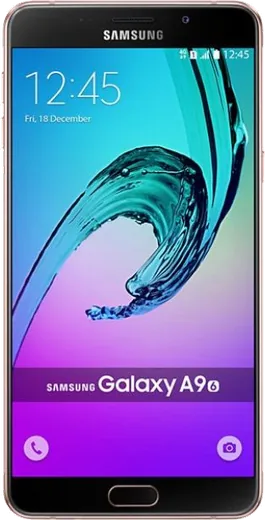
WhatsApp on Samsung Galaxy A9 Pro (2016)
Samsung Android

WhatsApp for Samsung Galaxy A9 Pro (2016)

Install the official WhatsApp on your Samsung Galaxy A9 Pro (2016) in a few simple steps.

WhatsApp Messenger 4.7 · 64.2M reviews Free · Android · ~40 MB · by WhatsApp LLC
Download WhatsApp

Ask a question / report a problem

You can ask any question about WhatsApp support on the Samsung Galaxy A9 Pro (2016) — leave it below and we'll help.

Ask a question

Can the Samsung Galaxy A9 Pro (2016) run WhatsApp?

Fully supported
  • Operating systemAndroid
  • WhatsApp versionLatest supported

Latest known WhatsApp problems on Samsung Galaxy A9 Pro (2016)

1

Will WhatsApp stop working on my Galaxy A9 Pro (2016)?

Not immediately. WhatsApp currently requires Android 5.0 or newer, and the A9 Pro shipped on Android 5.1 and was updated to Android 7.x Nougat, so it still meets the requirement for now. However, Meta keeps raising the minimum, and an unsupported phone stuck on Nougat will eventually fall below the cut-off. Keep the app updated via the Play Store while you can, and back up your chats to Google Drive (WhatsApp > Settings > Chats > Chat backup) so nothing is lost when support ends on this device. See how others solved this on Reddit
2

WhatsApp keeps crashing or won't update on my old Galaxy A9 Pro, what can I do?

On Android 7.x Nougat with limited RAM, clear WhatsApp's cache first under Settings > Apps > WhatsApp > Storage > Clear cache (use Clear cache, not Clear data, which would wipe local chats). Then reboot the phone. If the Play Store won't update because a newer version no longer supports your Android, you can install the last compatible APK directly from whatsapp.com/android, but back up your chats to Google Drive first. See how others solved this on Reddit
3

WhatsApp is filling up my Galaxy A9 Pro's internal storage, can I move it to the SD card?

WhatsApp must run from internal storage and can't be moved to the SD card reliably, but you can free space by relocating its media. Use My Files to copy the Internal storage > WhatsApp > Media folders to the SD card, then in WhatsApp go to Settings > Storage and data > Manage storage to see which chats use the most space and delete large or forwarded files you no longer need. See how others solved this on Reddit
4

Should I keep using my Galaxy A9 Pro (2016) for WhatsApp or upgrade?

The A9 Pro stopped receiving Samsung security patches years ago and is stuck on Android 7.x, so as app requirements rise you'll see slower performance and eventual loss of WhatsApp support. It's fine for now if it works for you. Just keep an active Google Drive chat backup so that when you move to a newer Galaxy, you can restore every conversation by signing into the same Google account during WhatsApp setup. See how others solved this on Reddit
5

Can I use WhatsApp on a Galaxy Tab as well as my A9 Pro phone?

Yes, through the Linked Devices feature, which mirrors your account onto a second device. On your A9 Pro open WhatsApp > Settings > Linked devices > Link a device, then scan the QR code shown either by the WhatsApp app on the tablet or at web.whatsapp.com in the tablet's browser. The tablet doesn't need a SIM or calling ability; your phone stays the primary account. See how others solved this on Reddit
6

WhatsApp voice and video calls drop or fail on my Galaxy A9 Pro

On older Galaxy phones this is usually battery optimization closing WhatsApp in the background. Go to Settings > Apps > WhatsApp > Battery and set it to Don't optimize (or Unrestricted), and confirm Microphone and Camera permissions are granted under Settings > Apps > WhatsApp > Permissions. Also try Wi-Fi versus mobile data, since the A9 Pro's older modem can struggle with video calls on a weak signal. See how others solved this on Reddit

Ask a question / report a problem

You can ask any question about WhatsApp support on the Samsung Galaxy A9 Pro (2016) — leave it below and we'll help.

Ask a question

Watch: setting up WhatsApp

Prefer to watch? This short walkthrough shows the whole installation and number-verification flow.

How to install WhatsApp on Samsung Galaxy A9 Pro (2016) — video walkthrough

How to install WhatsApp on Samsung Galaxy A9 Pro (2016)

1

Choose how to download

On your Samsung Galaxy A9 Pro (2016) you can get the official app two ways: from the Google Play Store — the easiest option, since it keeps WhatsApp updated automatically — or directly from the official website. You can download an APK file, by clicking a link “Download WhatsApp directly”.

2

Open WhatsApp

Launch WhatsApp from your home screen or app drawer and accept the Terms of Service to start setup.

3

Verify your phone number

Enter your phone number. If your Samsung Galaxy A9 Pro (2016) uses dual SIM, pick the line you want WhatsApp tied to, then enter the 6-digit code it sends by SMS — it usually fills in automatically.

4

Restore chats and finish setup

Restore your chat history from Google Drive (use the same Google account), add your name and photo, and tap Allow for notifications so messages and calls arrive reliably.

Stay safe: only ever install WhatsApp from the official Android source. The Download button above already points there — modified copies (GB/Plus/Aero WhatsApp) can get your number banned.

Comments (6)

No registration needed. No email required.
P
phoneaddictOct 24, 2025

So all set up and chatting now

L
luca_mikMar 31, 2025

i tried everything pls help meee install whatsapp on galaxy a9pro 😭😭

AppWhatsOfficialApr 1, 2025

Hey, no need to stress! Tap the green Download button at the top, follow the steps, and you will have WhatsApp in a minute. You will be set up on your phone in no time.

I
its_rajFeb 10, 2025

tbh this worked great on my galaxy a9 pro :)

B
big_miaDec 23, 2024

Wow danke, mein Galaxy A9 Pro hat jetzt whatsapp

D
dan07Sep 6, 2024

guys why does it crash on opening

AppWhatsOfficialSep 12, 2024

Thanks for asking, crashes are often an old version. Remove it, update your OS, and reinstall the newest build from the official source. Reach out anytime.

T
theuserAug 27, 2024

omg had whatsapp on my Samsung Galaxy A9 Pro in no time ✌️