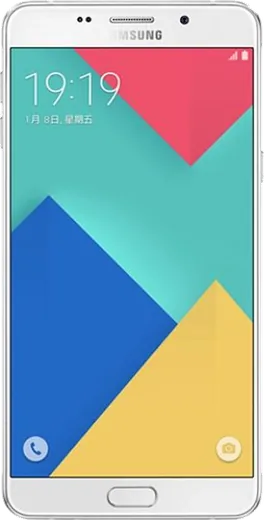
WhatsApp on Samsung Galaxy A9 (2016)
Samsung Android

WhatsApp for Samsung Galaxy A9 (2016)

Install the official WhatsApp on your Samsung Galaxy A9 (2016) in a few simple steps.

WhatsApp Messenger 4.7 · 64.2M reviews Free · Android · ~40 MB · by WhatsApp LLC
Download WhatsApp

Ask a question / report a problem

You can ask any question about WhatsApp support on the Samsung Galaxy A9 (2016) — leave it below and we'll help.

Ask a question

Can the Samsung Galaxy A9 (2016) run WhatsApp?

Fully supported
  • Operating systemAndroid
  • WhatsApp versionLatest supported

Latest known WhatsApp problems on Samsung Galaxy A9 (2016)

1

Will WhatsApp stop working on my Samsung Galaxy A9 (2016)?

The Galaxy A9 (2016) shipped with Android 6.0 and updated to at most Android 8.0 Oreo, which still meets WhatsApp's current minimum (Android 5.0+), so it works for now. Newer feature updates increasingly require Android 8+, so keep the app current: open Play Store > tap your profile > Manage apps & device and update WhatsApp. If the Play Store ever refuses the update, your OS version has aged out and you'll need a newer phone to keep using it. See how others solved this on Reddit
2

How do I move my WhatsApp chats off my broken Galaxy A9 to a new phone?

If the screen still responds, open WhatsApp > Settings > Chats > Chat backup and tap Back Up to push everything to Google Drive, then sign in with the same number and Google account on the new phone to restore during setup. If the A9 is fully dead, WhatsApp can only restore from your last automatic backup, so check Google Drive (or Google One > Backups) to confirm the most recent one exists before setting up the new device. See how others solved this on Reddit
3

WhatsApp voice and video calls drop or the screen goes black on my Galaxy A9 (2016) - how do I fix it?

This is usually a permission or battery-optimization conflict. Go to Settings > Apps > WhatsApp > Permissions and enable Microphone and Camera, then under Settings > Apps > WhatsApp > Battery set it to Unrestricted so the system doesn't kill the call when it's in the background. Note that the screen normally dims during a voice call when the phone is held near your ear (the proximity sensor); if it stays black abnormally, clear WhatsApp's cache via Settings > Apps > WhatsApp > Storage > Clear cache and reboot. See how others solved this on Reddit
4

Why does WhatsApp suddenly feel slow or laggy on my Samsung Galaxy A9 (2016)?

On older Samsung hardware, a bloated chat database and nearly full storage are the usual culprits. Free space by opening WhatsApp > Settings > Storage and data > Manage storage and deleting large forwarded photos and videos, then clear cache under Settings > Apps > WhatsApp > Storage > Clear cache (this won't delete your chats). Restarting the phone afterward usually restores responsiveness. See how others solved this on Reddit
5

Can I use the same WhatsApp number on my Galaxy A9 (2016) and a Samsung tablet at the same time?

Yes, use the official Linked Devices feature instead of registering the number twice. On the A9, open WhatsApp > Settings > Linked devices > Link a device, then scan the QR code shown by WhatsApp on the tablet (or by WhatsApp Web in the tablet's browser). The A9 stays the primary phone, and linked devices keep syncing for a while even when the phone is offline. See how others solved this on Reddit

Ask a question / report a problem

You can ask any question about WhatsApp support on the Samsung Galaxy A9 (2016) — leave it below and we'll help.

Ask a question

Watch: setting up WhatsApp

Prefer to watch? This short walkthrough shows the whole installation and number-verification flow.

How to install WhatsApp on Samsung Galaxy A9 (2016) — video walkthrough

How to install WhatsApp on Samsung Galaxy A9 (2016)

1

Choose how to download

On your Samsung Galaxy A9 (2016) you can get the official app two ways: from the Google Play Store — the easiest option, since it keeps WhatsApp updated automatically — or directly from the official website. You can download an APK file, by clicking a link “Download WhatsApp directly”.

2

Open WhatsApp

Launch WhatsApp from your home screen or app drawer and accept the Terms of Service to start setup.

3

Verify your phone number

Enter your phone number. If your Samsung Galaxy A9 (2016) uses dual SIM, pick the line you want WhatsApp tied to, then enter the 6-digit code it sends by SMS — it usually fills in automatically.

4

Restore chats and finish setup

Restore your chat history from Google Drive (use the same Google account), add your name and photo, and tap Allow for notifications so messages and calls arrive reliably.

Stay safe: only ever install WhatsApp from the official Android source. The Download button above already points there — modified copies (GB/Plus/Aero WhatsApp) can get your number banned.

Comments (7)

No registration needed. No email required.
S
sam2000Sep 30, 2025

yo the galaxy a9 guide was spot on 🙏

N
nina.vSep 21, 2025

pls help will this really work on my Samsung Galaxy A9 anyone

AppWhatsOfficialSep 27, 2025

Sure, yes, WhatsApp supports the your phone. Just make sure your phone is on an up to date version of its operating system for the best experience. Enjoy WhatsApp on your your phone!

I
im_beaAug 26, 2025

this fixed whatsapp on my Samsung Galaxy A9 ❤️

AppWhatsOfficialAug 29, 2025

Perfect, enjoy chatting!

L
lucy59Jul 12, 2025

update two thumbs up 😍

A
ash00Jul 5, 2025

Il mio samsung galaxy a9 ha finalmente whatsapp, fantastico

Y
yuki.sApr 1, 2025

Wow got my a9 sorted thanks to you :)

V
val52Feb 17, 2025

someone whyyy is this so hard pls help me get whatsapp

AppWhatsOfficialFeb 21, 2025

Relax, it is simpler than it looks. Press Download, install, then verify with the SMS code. You got this! Reply here if you get stuck.