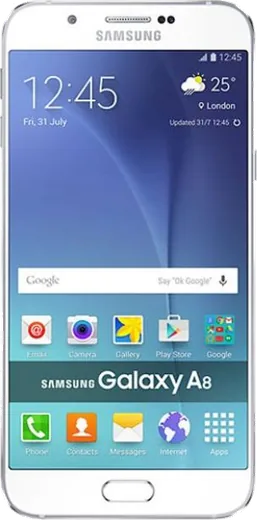
WhatsApp on Samsung Galaxy A8
Samsung Android

WhatsApp for Samsung Galaxy A8

Install the official WhatsApp on your Samsung Galaxy A8 in a few simple steps.

WhatsApp Messenger 4.7 · 64.2M reviews Free · Android · ~40 MB · by WhatsApp LLC
Download WhatsApp

Ask a question / report a problem

You can ask any question about WhatsApp support on the Samsung Galaxy A8 — leave it below and we'll help.

Ask a question

Can the Samsung Galaxy A8 run WhatsApp?

Fully supported
  • Operating systemAndroid
  • WhatsApp versionLatest supported

Latest known WhatsApp problems on Samsung Galaxy A8

1

How do I install and set up WhatsApp on my Samsung Galaxy A8?

Open the Google Play Store, search for WhatsApp Messenger, and tap Install (on the A8 the Galaxy Store can serve as a backup source if Play Store has issues). Open the app, accept the terms, enter your phone number with the correct country code, and verify the 6-digit SMS code. Allow the contacts and media permissions when One UI prompts so your chats and address book sync correctly. See how others solved this on Reddit
2

My cloned/dual WhatsApp on the Galaxy A8 can't find the Google Drive backup, how do I restore it?

Google Drive only stores one WhatsApp backup per phone number, and a Dual Messenger clone is a separate app instance that Drive treats independently, so it often won't see the backup made by your primary WhatsApp. Make sure the Google account holding the backup is signed in on the phone (Settings > Accounts and backup > Manage accounts) and selected in WhatsApp under Settings > Chats > Chat backup > Account. The backup also only restores during first-time verification, so restore immediately after you enter and verify the number in the clone, before finishing setup. See how others solved this on Reddit
3

Why does my Galaxy A8 automatically add random WhatsApp contacts I never saved?

WhatsApp mirrors your phone's address book, so numbers synced from Google or Samsung accounts (or auto-saved by other apps) can appear as WhatsApp contacts. Go to Settings > Accounts and backup > Manage accounts and turn off Contacts sync for any account you don't want, then delete the unwanted entries in the Samsung Contacts app. Because WhatsApp reads contacts through the Android Contacts permission, the cleanest way to limit what it sees is to control which contacts your phone stores rather than expecting a separate toggle inside WhatsApp. See how others solved this on Reddit
4

I switched from another Android phone to my Galaxy A8 and my WhatsApp stickers and some data didn't transfer, how do I fix it?

Samsung Smart Switch and Google's migration tool often skip custom/third-party stickers and some app caches, so do a proper WhatsApp chat backup before moving. On the old phone open WhatsApp > Settings > Chats > Chat backup and back up to Google Drive, then on the A8 install WhatsApp, verify the same number, and tap Restore when prompted. Re-add any third-party sticker packs from the Play Store afterward, since those aren't included in the Drive backup. See how others solved this on Reddit
5

WhatsApp is missing from Android Auto on my Galaxy A8 and won't show messages in the car, what do I do?

Android Auto only surfaces WhatsApp once it has notification access, so open Settings > Apps > Special access > Notification access and confirm Android Auto is allowed. Open the Android Auto app's own settings and check that WhatsApp is enabled in its list of messaging apps, and update both WhatsApp and Android Auto from the Play Store. If it still doesn't appear, clear Android Auto's cache in Settings > Apps > Android Auto > Storage and reconnect to the car. See how others solved this on Reddit
6

My Contacts app stopped working on the Galaxy A8 and WhatsApp shows no contacts, how do I restore them?

When the Samsung Contacts app misbehaves, WhatsApp can't read your address book and shows an empty list. Go to Settings > Apps > Contacts > Storage and tap Clear cache (use Clear data only if you have a contacts backup), then restart the phone. Confirm WhatsApp has the Contacts permission under Settings > Apps > WhatsApp > Permissions, and re-enable account sync in Settings > Accounts and backup > Manage accounts so your contacts repopulate. See how others solved this on Reddit

Ask a question / report a problem

You can ask any question about WhatsApp support on the Samsung Galaxy A8 — leave it below and we'll help.

Ask a question

Watch: setting up WhatsApp

Prefer to watch? This short walkthrough shows the whole installation and number-verification flow.

How to install WhatsApp on Samsung Galaxy A8 — video walkthrough

How to install WhatsApp on Samsung Galaxy A8

1

Choose how to download

On your Samsung Galaxy A8 you can get the official app two ways: from the Google Play Store — the easiest option, since it keeps WhatsApp updated automatically — or directly from the official website. You can download an APK file, by clicking a link “Download WhatsApp directly”.

2

Open WhatsApp

Launch WhatsApp from your home screen or app drawer and accept the Terms of Service to start setup.

3

Verify your phone number

Enter your phone number. If your Samsung Galaxy A8 uses dual SIM, pick the line you want WhatsApp tied to, then enter the 6-digit code it sends by SMS — it usually fills in automatically.

4

Restore chats and finish setup

Restore your chat history from Google Drive (use the same Google account), add your name and photo, and tap Allow for notifications so messages and calls arrive reliably.

Stay safe: only ever install WhatsApp from the official Android source. The Download button above already points there — modified copies (GB/Plus/Aero WhatsApp) can get your number banned.

Comments (4)

No registration needed. No email required.
L
leo1990May 13, 2026

Hé trop facile, mon a8 est prêt 😍

A
andy82Aug 4, 2025

i been trying since morning pleaseee how to install on Samsung Galaxy A8 😭

AppWhatsOfficialAug 7, 2025

No panic needed. The Download button takes you to the official app, then just install and verify your number. It is easier than it looks, promise.

B
budgetkingFeb 24, 2025

Yo the download was a bit slow but it worked ✌️

AppWhatsOfficialFeb 27, 2025

Nice one, enjoy WhatsApp!

J
just_finnAug 7, 2024

guys works like a charm on the Samsung Galaxy A8