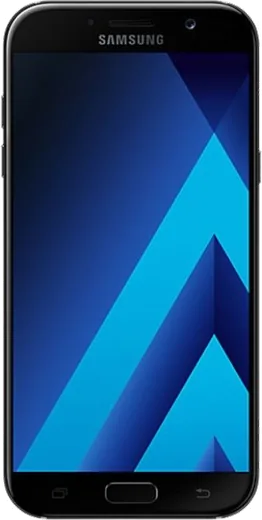
WhatsApp on Samsung Galaxy A7 (2017)
Samsung Android

WhatsApp for Samsung Galaxy A7 (2017)

Install the official WhatsApp on your Samsung Galaxy A7 (2017) in a few simple steps.

WhatsApp Messenger 4.7 · 64.2M reviews Free · Android · ~40 MB · by WhatsApp LLC
Download WhatsApp

Ask a question / report a problem

You can ask any question about WhatsApp support on the Samsung Galaxy A7 (2017) — leave it below and we'll help.

Ask a question

Can the Samsung Galaxy A7 (2017) run WhatsApp?

Fully supported
  • Operating systemAndroid
  • WhatsApp versionLatest supported

Latest known WhatsApp problems on Samsung Galaxy A7 (2017)

1

My Samsung Galaxy A7 (2017) camera stopped working and WhatsApp can't take photos. How do I fix it?

First close WhatsApp, then clear the camera cache under Settings > Apps > Camera > Storage > Clear cache and reboot the phone, since a stuck camera service is the usual cause on this aging A720F. Next open WhatsApp's permissions at Settings > Apps > WhatsApp > Permissions and toggle Camera off and back on so it re-acquires access. If even the stock Camera app fails to launch, that often points to a custom ROM (such as LineageOS) or firmware problem rather than hardware, so try reflashing the official Samsung stock firmware before assuming the sensor is dead. See how others solved this on Reddit
2

My old Galaxy A7 (2017) broke and I can't get into WhatsApp or recover my chats. What can I do?

If the phone still powers on, install WhatsApp on your new device, verify the same phone number, and choose Restore when prompted to pull the chats from Google Drive (only if Drive backup was ever enabled on the A7). If the screen is dead but the phone still boots, connect it to a PC and copy the folder Internal storage > Android > media > com.whatsapp > WhatsApp > Databases, which holds the local msgstore backup files. Note that those .crypt backups are encrypted, so they can only be restored on a phone signed into the same Google account and verified with the same number. See how others solved this on Reddit
3

I found my old Galaxy A7 2017 (A720F/DS) in a drawer. Can I still use it for WhatsApp safely?

Yes, it can still run WhatsApp, but first fully charge it and go to Settings > Software update to install any final patches available for this model. Because the A720F's last major version is Android 8 (Oreo) and it no longer receives security updates, keep WhatsApp itself current through the Play Store and avoid sideloading random APKs. For a cleaner start, consider a factory reset under Settings > General management > Reset > Factory data reset before signing back in. See how others solved this on Reddit
4

Will WhatsApp keep working on the Galaxy A7 (2017) now that Samsung ended software support?

WhatsApp still works for now because it continues to support the A7's Android 8 (Oreo) base, even though Samsung stopped shipping firmware updates years ago. Keep the app updated through the Play Store, since WhatsApp periodically raises its minimum Android version and very old devices eventually fall below it. When that happens you'll get an in-app warning, and your options at that point are a newer phone or using WhatsApp Web from a linked computer. See how others solved this on Reddit
5

My Galaxy A7 (2017) storage is almost full with 'Other' files, mostly from WhatsApp. How do I clear it?

Much of that 'Other' bucket is cached media and orphaned WhatsApp files, so start in WhatsApp under Settings > Storage and data > Manage storage to delete large and forwarded items per chat. Then clear the app cache at Settings > Apps > WhatsApp > Storage > Clear cache, and use Settings > Device care > Storage to remove leftover thumbnails and junk. To stop it refilling, turn off auto-saving of incoming media via WhatsApp Settings > Chats > Media visibility. See how others solved this on Reddit
6

WhatsApp backup to Google Drive is ridiculously slow on my Galaxy A7 (2017). How can I speed it up?

On this older A7 the slowdown is usually the first full backup uploading every photo and video, so connect to strong Wi-Fi and leave it charging overnight instead of backing up over mobile data. In WhatsApp go to Settings > Chats > Chat backup, set 'Back up over' to Wi-Fi only, and turn off 'Include videos' to drastically cut the upload size. If it stalls completely, clear the cache for Google Play services under Settings > Apps > Google Play services > Storage and restart the backup. See how others solved this on Reddit

Ask a question / report a problem

You can ask any question about WhatsApp support on the Samsung Galaxy A7 (2017) — leave it below and we'll help.

Ask a question

Watch: setting up WhatsApp

Prefer to watch? This short walkthrough shows the whole installation and number-verification flow.

How to install WhatsApp on Samsung Galaxy A7 (2017) — video walkthrough

How to install WhatsApp on Samsung Galaxy A7 (2017)

1

Choose how to download

On your Samsung Galaxy A7 (2017) you can get the official app two ways: from the Google Play Store — the easiest option, since it keeps WhatsApp updated automatically — or directly from the official website. You can download an APK file, by clicking a link “Download WhatsApp directly”.

2

Open WhatsApp

Launch WhatsApp from your home screen or app drawer and accept the Terms of Service to start setup.

3

Verify your phone number

Enter your phone number. If your Samsung Galaxy A7 (2017) uses dual SIM, pick the line you want WhatsApp tied to, then enter the 6-digit code it sends by SMS — it usually fills in automatically.

4

Restore chats and finish setup

Restore your chat history from Google Drive (use the same Google account), add your name and photo, and tap Allow for notifications so messages and calls arrive reliably.

Stay safe: only ever install WhatsApp from the official Android source. The Download button above already points there — modified copies (GB/Plus/Aero WhatsApp) can get your number banned.

Comments (6)

No registration needed. No email required.
L
lil_ashMay 20, 2026

yo got it working on my galaxy a7 first try :)

Z
zoe.gMar 31, 2026

Update works like a charm on the Samsung Galaxy A7

B
budgetkingAug 11, 2025

Finalmente tutto funziona sul mio Samsung Galaxy A7, mille grazie

R
rosa.mMar 31, 2025

yo respect, this helped alot

T
techguyJan 14, 2025

guys im so confused someone help meeee

AppWhatsOfficialJan 17, 2025

Relax, it is simpler than it looks. Press Download, install, then verify with the SMS code. You got this! You will be set up on your phone in no time.

O
omar84Aug 19, 2024

Man did it without any help, very simple 💯