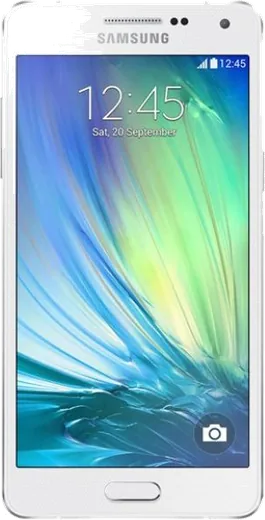
WhatsApp on Samsung Galaxy A5 Duos
Samsung Android

WhatsApp for Samsung Galaxy A5 Duos

Install the official WhatsApp on your Samsung Galaxy A5 Duos in a few simple steps.

WhatsApp Messenger 4.7 · 64.2M reviews Free · Android · ~40 MB · by WhatsApp LLC
Download WhatsApp

Ask a question / report a problem

You can ask any question about WhatsApp support on the Samsung Galaxy A5 Duos — leave it below and we'll help.

Ask a question

Can the Samsung Galaxy A5 Duos run WhatsApp?

Support ending soon
  • Operating systemAndroid
  • WhatsApp versionLatest supported

Latest known WhatsApp problems on Samsung Galaxy A5 Duos

1

Can I run two WhatsApp accounts on my Galaxy A5 Duos using both SIM slots?

The A5 Duos has dual-SIM hardware, but a single WhatsApp install binds to only one number. If your One UI version includes it, open Settings > Advanced features > Dual Messenger and toggle WhatsApp on to create a cloned second instance. The original Galaxy A5 (2015-2017) shipped on older Android that predates Dual Messenger, so on those builds the reliable route is to install WhatsApp Business from the Play Store as the second app and register a different number in it. Each instance keeps its own chats, and you verify each number with its own SMS OTP. See how others solved this on Reddit
2

Is the Samsung Galaxy A5 Duos still usable for WhatsApp in 2024-2025 or is it too old?

The A5 Duos can still run WhatsApp, but WhatsApp periodically raises its minimum Android version and drops support for older OS builds, which eventually blocks the app entirely. Check Settings > Software update and install any final patch, then confirm your Android version under Settings > About phone (or Settings > About phone > Software information). If it sits below WhatsApp's current minimum, the app shows an unsupported-version warning. While it still works, keep WhatsApp updated from the Play Store and back chats up to Google Drive before support fully ends. See how others solved this on Reddit
3

My Galaxy A5 Duos runs out of storage and WhatsApp won't update or download media

The A5 Duos has limited internal storage that WhatsApp media fills quickly. Open WhatsApp > Settings > Storage and data > Manage storage and delete large forwarded videos and photos. Then turn off auto-download under WhatsApp > Settings > Storage and data by clearing the media types for Mobile, Wi-Fi, and Roaming so new files stop piling up. To free space generally, move your own photos and other files to a microSD card via the My Files app, and clear the Play Store cache in Settings > Apps > Google Play Store > Storage > Clear cache to help a stalled WhatsApp update finish. See how others solved this on Reddit
4

Should I keep my old Galaxy A5 Duos just for WhatsApp or move my number to a newer Samsung?

If the A5 Duos still charges and connects to Wi-Fi, it works fine as a dedicated WhatsApp device, but moving to a newer phone is straightforward and keeps your chats. On the old phone, back up via WhatsApp > Settings > Chats > Chat backup to Google Drive using your Google account, then install WhatsApp on the new Samsung and restore during number verification. Your number stays the same. Note that WhatsApp only runs one active phone at a time, so once you verify on the new device the old one logs out of the chat list (you can still use it as a linked companion device via Linked devices). See how others solved this on Reddit
5

How do I back up my Galaxy A5 Duos WhatsApp chats before the phone dies?

Aging A5 Duos units can fail suddenly from battery or storage faults, so back up now via WhatsApp > Settings > Chats > Chat backup and tap Back Up to push everything to Google Drive. Check which Google account is selected on that same screen, because a restore on the next phone requires the same number and the same Google account. Set Back up to Google Drive to Daily over Wi-Fi so a recent copy always exists even if the phone stops booting. See how others solved this on Reddit
6

WhatsApp is laggy and slow to open on my Galaxy A5 Duos

The A5 Duos has modest RAM, so a large WhatsApp database with years of media stutters. Clear the app cache under Settings > Apps > WhatsApp > Storage > Clear cache, which is safe and keeps your chats. Archive old conversations and delete large media via WhatsApp > Settings > Storage and data > Manage storage to shrink what WhatsApp loads at launch. Closing other apps from the recents screen frees memory, and a simple restart often clears the worst of the slowdown. See how others solved this on Reddit

Ask a question / report a problem

You can ask any question about WhatsApp support on the Samsung Galaxy A5 Duos — leave it below and we'll help.

Ask a question

Watch: setting up WhatsApp

Prefer to watch? This short walkthrough shows the whole installation and number-verification flow.

How to install WhatsApp on Samsung Galaxy A5 Duos — video walkthrough

How to install WhatsApp on Samsung Galaxy A5 Duos

1

Choose how to download

On your Samsung Galaxy A5 Duos you can get the official app two ways: from the Google Play Store — the easiest option, since it keeps WhatsApp updated automatically — or directly from the official website. You can download an APK file, by clicking a link “Download WhatsApp directly”.

2

Open WhatsApp

Launch WhatsApp from your home screen or app drawer and accept the Terms of Service to start setup.

3

Verify your phone number

Enter your phone number. If your Samsung Galaxy A5 Duos uses dual SIM, pick the line you want WhatsApp tied to, then enter the 6-digit code it sends by SMS — it usually fills in automatically.

4

Restore chats and finish setup

Restore your chat history from Google Drive (use the same Google account), add your name and photo, and tap Allow for notifications so messages and calls arrive reliably.

Stay safe: only ever install WhatsApp from the official Android source. The Download button above already points there — modified copies (GB/Plus/Aero WhatsApp) can get your number banned.

Comments (4)

No registration needed. No email required.
T
the_real_samOct 20, 2025

whatsapp is working on my a5 duos now 👍

N
nick82Jul 5, 2025

Wow funcionó perfecto en mi galaxy a5duos 😍

P
pete_officialApr 6, 2025

guys is this the official whatsapp or a modded one pls

AppWhatsOfficialApr 11, 2025

No worries, only the official app here. Modified versions can get your account banned, so we never link to them.

E
ella.tOct 28, 2024

Ugh whyyy is this so hard pls help me get whatsapp pls

AppWhatsOfficialOct 29, 2024

Take a breath, we got you. Press Download above, then Install, then verify your number. That is all it takes.