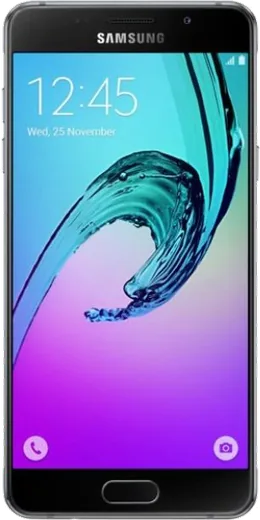
WhatsApp on Samsung Galaxy A5 (2016)
Samsung Android

WhatsApp for Samsung Galaxy A5 (2016)

Install the official WhatsApp on your Samsung Galaxy A5 (2016) in a few simple steps.

WhatsApp Messenger 4.7 · 64.2M reviews Free · Android · ~40 MB · by WhatsApp LLC
Download WhatsApp

Ask a question / report a problem

You can ask any question about WhatsApp support on the Samsung Galaxy A5 (2016) — leave it below and we'll help.

Ask a question

Can the Samsung Galaxy A5 (2016) run WhatsApp?

Support ending soon
  • Operating systemAndroid
  • WhatsApp versionLatest supported

Latest known WhatsApp problems on Samsung Galaxy A5 (2016)

1

WhatsApp won't play voice messages when I hold my Galaxy A5 to my ear

Raise-to-ear playback relies on the proximity sensor next to the top earpiece, so first remove any screen protector or case that overlaps that area and wipe it clean, since even a smudge can keep the sensor permanently 'covered.' Test the sensor by dialing *#0*# to open Samsung's hardware test menu and tapping the Sensor section, then waving your hand over the top of the screen to see if it reacts. If the sensor responds there but WhatsApp still ignores it, clear WhatsApp's cache under Settings > Apps > WhatsApp > Storage > Clear cache and reboot. See how others solved this on Reddit
2

Voice messages only play through the loudspeaker on my A5, never the earpiece

When WhatsApp always uses the loudspeaker and never switches to the earpiece as you lift the phone, the proximity sensor is either blocked or faulty. Confirm it by dialing *#0*# and opening the Sensor section, then covering the top of the screen with your hand to watch the proximity value change. If it never reacts, the sensor is dead and earpiece playback can't work, which is a hardware fault rather than a WhatsApp setting; if it does react, clear WhatsApp's cache (Settings > Apps > WhatsApp > Storage > Clear cache) and reboot. See how others solved this on Reddit
3

Is a used Galaxy A5 (2016) still safe to run WhatsApp on in 2026?

The A5 (2016) is stuck on Android 7 Nougat with no further security updates, and current WhatsApp versions require roughly Android 5.1 or newer, so it will keep working for now but expect WhatsApp to eventually drop support for OS versions this old. Before buying used, install WhatsApp from the Play Store and confirm it updates and activates cleanly, since outdated app versions can stop sending messages. For peace of mind, treat it as a backup or light-use device rather than your only phone. See how others solved this on Reddit
4

WhatsApp is slow and laggy on my aging Galaxy A5 (2016)

The A5's limited RAM gets choked when WhatsApp media piles up, so go to Settings > Apps > WhatsApp > Storage and clear the cache, then inside WhatsApp open Settings > Storage and data > Manage storage to delete large videos and forwarded files. Turn off auto-download under Settings > Storage and data > Media auto-download (set photos, audio, and video to off or Wi-Fi only) to keep the phone from filling up again. A reboot after clearing cache frees memory and noticeably smooths things out. See how others solved this on Reddit
5

Can I flash a custom ROM on my Galaxy A5 to keep WhatsApp running longer?

A newer custom ROM can technically push the A5 to a higher Android version, but it requires unlocking the bootloader and flashing via Odin or TWRP, which wipes all data and carries real bricking risk on this older Exynos model. If you go this route, back up your chats first via WhatsApp Settings > Chats > Chat backup to Google Drive so you can restore afterward. For most users, simply keeping WhatsApp and the stock firmware updated is the safer path. See how others solved this on Reddit
6

I want to move WhatsApp from my old A5 to a new phone without losing chats

On the A5, open WhatsApp > three dots > Settings > Chats > Chat backup and run a backup to Google Drive using the same Google account you'll sign into on the new phone. When you set up WhatsApp on the new device with the same phone number, it will detect that Google Drive backup and offer to restore your messages and media. If both phones aren't signed into the identical Google account, the restore prompt won't appear. See how others solved this on Reddit

Ask a question / report a problem

You can ask any question about WhatsApp support on the Samsung Galaxy A5 (2016) — leave it below and we'll help.

Ask a question

Watch: setting up WhatsApp

Prefer to watch? This short walkthrough shows the whole installation and number-verification flow.

How to install WhatsApp on Samsung Galaxy A5 (2016) — video walkthrough

How to install WhatsApp on Samsung Galaxy A5 (2016)

1

Choose how to download

On your Samsung Galaxy A5 (2016) you can get the official app two ways: from the Google Play Store — the easiest option, since it keeps WhatsApp updated automatically — or directly from the official website. You can download an APK file, by clicking a link “Download WhatsApp directly”.

2

Open WhatsApp

Launch WhatsApp from your home screen or app drawer and accept the Terms of Service to start setup.

3

Verify your phone number

Enter your phone number. If your Samsung Galaxy A5 (2016) uses dual SIM, pick the line you want WhatsApp tied to, then enter the 6-digit code it sends by SMS — it usually fills in automatically.

4

Restore chats and finish setup

Restore your chat history from Google Drive (use the same Google account), add your name and photo, and tap Allow for notifications so messages and calls arrive reliably.

Stay safe: only ever install WhatsApp from the official Android source. The Download button above already points there — modified copies (GB/Plus/Aero WhatsApp) can get your number banned.

Comments (4)

No registration needed. No email required.
Z
zoe_aleMay 8, 2026

Man finally got whatsapp running on my Samsung Galaxy A5

R
ray_realApr 19, 2026

guys PLEASE i need whatsapp on my galaxy a5 its urgent pls

AppWhatsOfficialApr 22, 2026

Relax, it is simpler than it looks. Press Download, install, then verify with the SMS code. You got this! You got this!

R
ray_proJul 9, 2025

Por fin me funcionó al instante en mi Galaxy A5 🎉

T
techguyApr 1, 2025

smooth and simple, no issues thx