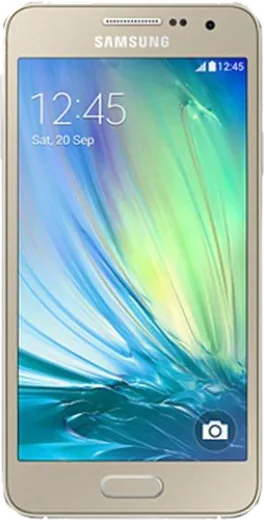
WhatsApp on Samsung Galaxy A3 Duos
Samsung Android

WhatsApp for Samsung Galaxy A3 Duos

Install the official WhatsApp on your Samsung Galaxy A3 Duos in a few simple steps.

WhatsApp Messenger 4.7 · 64.2M reviews Free · Android · ~40 MB · by WhatsApp LLC
Download WhatsApp

Ask a question / report a problem

You can ask any question about WhatsApp support on the Samsung Galaxy A3 Duos — leave it below and we'll help.

Ask a question

Can the Samsung Galaxy A3 Duos run WhatsApp?

Support ending soon
  • Operating systemAndroid
  • WhatsApp versionLatest supported

Latest known WhatsApp problems on Samsung Galaxy A3 Duos

1

My Galaxy A3 Duos won't let me sign into my Samsung account — it says 'processing failed'

This usually happens because the A3's old Android version struggles with Samsung's current security handshake, and a wrong device clock makes it worse. First go to Settings > Date and time and turn on automatic date/time, then in Settings > Accounts remove the Samsung account and re-add it over stable Wi-Fi. If it still fails, reset your password at account.samsung.com in a browser first — many older-phone sign-in errors clear once the account is re-verified server-side. See how others solved this on Reddit
2

Is the Galaxy A3 Duos still usable in 2025, or is it too old now?

It can still work as a basic call, message, and music device, but the low-RAM hardware and frozen Android version make many modern apps unreliable. Keep it lean: in Settings > Application manager disable bloatware you don't use, and lean on the web (Chrome/Firefox) instead of native apps where you can. For anything security-sensitive like banking, use a newer phone, since the A3 no longer receives security patches. See how others solved this on Reddit
3

The stock camera on my Galaxy A3 Duos takes poor photos — is there a better camera app?

The A3's small sensor struggles in low light, so a third-party app with manual controls helps more than the stock app. From the Play Store, Open Camera (free) lets you lock exposure and ISO, which often gives steadier results. Beyond the app, shoot in good light, tap to set focus and exposure before capturing, and wipe the lens — smudges are the most common cause of soft shots on these older Galaxies. See how others solved this on Reddit
4

My Galaxy A3 Duos is stuck on an old Android version with no updates — can I get a newer OS?

Samsung stopped issuing updates for the A3 years ago, so the only path to a newer Android is an unofficial custom ROM (such as a LineageOS or CyanogenMod build) made for this exact model. This requires unlocking the bootloader and flashing a custom recovery, which voids warranty and can brick the phone if you use the wrong build. Confirm the precise model number in Settings > About device and only flash a ROM listed specifically for that variant. See how others solved this on Reddit
5

Should I keep my old Galaxy A3 Duos as a backup or retire it?

An old A3 makes a fine offline backup — a music player, alarm clock, or emergency phone — but it shouldn't hold your primary accounts because it no longer gets security patches. Before repurposing it, back up your photos to Google Photos or Google Drive while it still signs in, then factory reset via Settings > Backup and reset. Afterward, remove your main Google and Samsung accounts so old logins can't be exploited. See how others solved this on Reddit
6

How do I bring an old Galaxy A3 Duos back to life after it's been in a drawer for years?

Charge it fully first — a deeply discharged battery may need 15-20 minutes on the charger before the screen even responds. Once it boots, don't expect new system updates (Samsung ended support for this model), so instead free up space by removing unused apps in Settings > Application manager and connect to Wi-Fi to update the apps you keep. If it's sluggish or won't sync accounts, a factory reset from Settings > Backup and reset gives the cleanest starting point for a phone this old. See how others solved this on Reddit

Ask a question / report a problem

You can ask any question about WhatsApp support on the Samsung Galaxy A3 Duos — leave it below and we'll help.

Ask a question

Watch: setting up WhatsApp

Prefer to watch? This short walkthrough shows the whole installation and number-verification flow.

How to install WhatsApp on Samsung Galaxy A3 Duos — video walkthrough

How to install WhatsApp on Samsung Galaxy A3 Duos

1

Choose how to download

On your Samsung Galaxy A3 Duos you can get the official app two ways: from the Google Play Store — the easiest option, since it keeps WhatsApp updated automatically — or directly from the official website. You can download an APK file, by clicking a link “Download WhatsApp directly”.

2

Open WhatsApp

Launch WhatsApp from your home screen or app drawer and accept the Terms of Service to start setup.

3

Verify your phone number

Enter your phone number. If your Samsung Galaxy A3 Duos uses dual SIM, pick the line you want WhatsApp tied to, then enter the 6-digit code it sends by SMS — it usually fills in automatically.

4

Restore chats and finish setup

Restore your chat history from Google Drive (use the same Google account), add your name and photo, and tap Allow for notifications so messages and calls arrive reliably.

Stay safe: only ever install WhatsApp from the official Android source. The Download button above already points there — modified copies (GB/Plus/Aero WhatsApp) can get your number banned.

Comments (4)

No registration needed. No email required.
P
pete99Jan 12, 2026

Update my new galaxy a3 duos is all set up now ✌️

B
ben99May 19, 2025

I had to enable unknown sources but then it was fine cheers

M
mmmaaaxxxMar 14, 2025

instalado y funcionando en mi samsung galaxy a3 duos 👍

J
just_amyAug 18, 2024

pleeeease i really need whatsapp on my Samsung Galaxy A3 Duos today 😭😭

AppWhatsOfficialAug 19, 2024

Take a breath, we got you. Press Download above, then Install, then verify your number. That is all it takes.