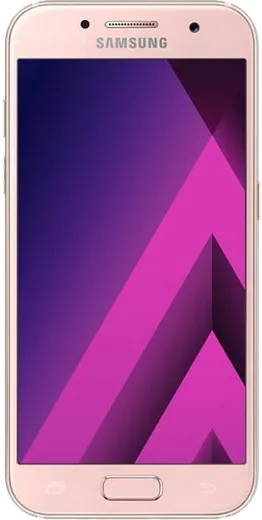
WhatsApp on Samsung Galaxy A3 (2017)
Samsung Android

WhatsApp for Samsung Galaxy A3 (2017)

Install the official WhatsApp on your Samsung Galaxy A3 (2017) in a few simple steps.

WhatsApp Messenger 4.7 · 64.2M reviews Free · Android · ~40 MB · by WhatsApp LLC
Download WhatsApp

Ask a question / report a problem

You can ask any question about WhatsApp support on the Samsung Galaxy A3 (2017) — leave it below and we'll help.

Ask a question

Can the Samsung Galaxy A3 (2017) run WhatsApp?

Fully supported
  • Operating systemAndroid
  • WhatsApp versionLatest supported

Latest known WhatsApp problems on Samsung Galaxy A3 (2017)

1

Why does my Galaxy A3 (2017) keep saying storage is full when WhatsApp won't update?

WhatsApp media is almost always the culprit on the A3's small 16 GB drive. Open WhatsApp, go to Settings > Storage and data > Manage storage, and clear the largest chats plus forwarded videos and GIFs. Then move photos to Google Photos (set it to back up and free up space) and uninstall apps you don't use from Settings > Apps, so the Play Store update has room to install. See how others solved this on Reddit
2

WhatsApp notifications on my Galaxy A3 (2017) keep getting dismissed before I read them. How do I fix it?

This is usually Samsung's battery optimization killing WhatsApp in the background. Go to Settings > Apps > WhatsApp > Battery and disable battery optimization for it, and on this model open Settings > Device maintenance > Battery to make sure WhatsApp isn't in the sleeping/unmonitored apps list. Also confirm WhatsApp > Settings > Notifications is on so alerts stay in the panel until you open them. See how others solved this on Reddit
3

I just got a Galaxy A3 (2017) and noticed some odd quirks out of the box. Which settings should I change first?

Right after setup, run Settings > Software update to grab the final security patches, then go to Settings > Apps to disable or uninstall the carrier bloatware you don't need. Turn on adaptive brightness under Settings > Display, and sign into your Samsung and Google accounts so your contacts and apps like WhatsApp sync correctly. See how others solved this on Reddit
4

My Galaxy A3 (2017) feels slow and apps like WhatsApp lag. Is it worth keeping or should I upgrade?

You can squeeze more life out of it: go to Settings > Apps, clear the cache on heavy apps, then enable Developer options and set the animation scales to 0.5x for a snappier feel. The A3 (2017) is stuck on its final update, Android 8.0 Oreo, so newer WhatsApp features will eventually stop working; if it's still painful, a modern compact phone like a recent Galaxy A-series or small Pixel is the natural successor. See how others solved this on Reddit
5

I love how small my Galaxy A3 is but it's aging. What current small phone replaces it without losing WhatsApp?

True 4.7-inch phones are rare now, but Samsung's 'FE' models, recent compact Pixels, or the Asus Zenfone small line come closest while still running current WhatsApp. Before switching, back up WhatsApp to Google Drive via WhatsApp > Settings > Chats > Chat backup, then restore on the new phone during setup so your message history carries over. See how others solved this on Reddit

Ask a question / report a problem

You can ask any question about WhatsApp support on the Samsung Galaxy A3 (2017) — leave it below and we'll help.

Ask a question

Watch: setting up WhatsApp

Prefer to watch? This short walkthrough shows the whole installation and number-verification flow.

How to install WhatsApp on Samsung Galaxy A3 (2017) — video walkthrough

How to install WhatsApp on Samsung Galaxy A3 (2017)

1

Choose how to download

On your Samsung Galaxy A3 (2017) you can get the official app two ways: from the Google Play Store — the easiest option, since it keeps WhatsApp updated automatically — or directly from the official website. You can download an APK file, by clicking a link “Download WhatsApp directly”.

2

Open WhatsApp

Launch WhatsApp from your home screen or app drawer and accept the Terms of Service to start setup.

3

Verify your phone number

Enter your phone number. If your Samsung Galaxy A3 (2017) uses dual SIM, pick the line you want WhatsApp tied to, then enter the 6-digit code it sends by SMS — it usually fills in automatically.

4

Restore chats and finish setup

Restore your chat history from Google Drive (use the same Google account), add your name and photo, and tap Allow for notifications so messages and calls arrive reliably.

Stay safe: only ever install WhatsApp from the official Android source. The Download button above already points there — modified copies (GB/Plus/Aero WhatsApp) can get your number banned.

Comments (4)

No registration needed. No email required.
S
sol40May 8, 2026

Well great stuff, much appreciated ✌️

V
val9Jan 2, 2025

Excelente guía, funcionó en mi galaxy a3 🙏

P
pablo.mOct 17, 2024

whatsapp works fine on my samsung galaxy a3

I
its_finnAug 31, 2024

anyone pls i cant download it heeeelp me 😭😭

AppWhatsOfficialSep 4, 2024

We are here to help. Hit Download, follow the steps on this page, and if the code is slow just request it again.