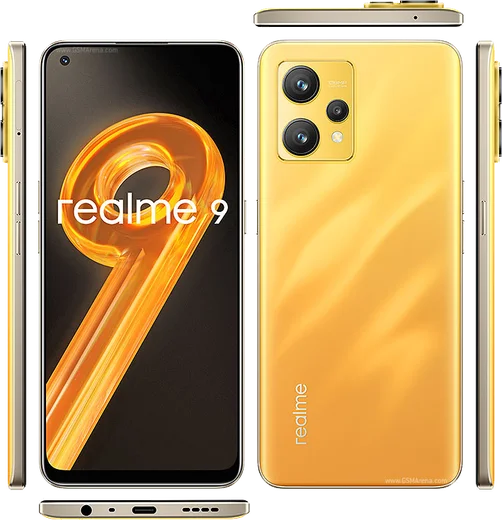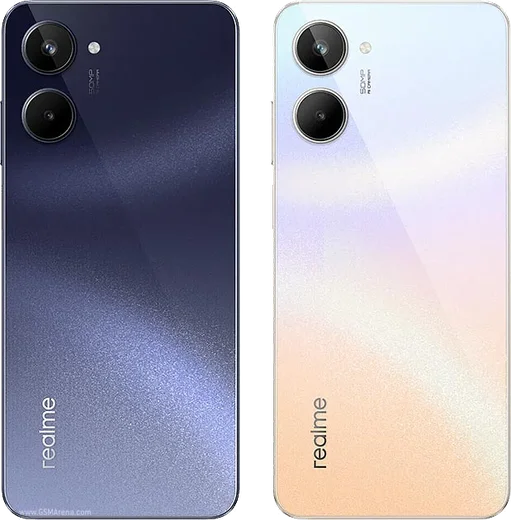
WhatsApp on Realme 9
Realme Android

WhatsApp for Realme 9

Snapdragon 680, 6.4-inch Super AMOLED, 108MP camera

WhatsApp Messenger 4.7 · 64.2M reviews Free · Android · ~40 MB · by WhatsApp LLC
Download WhatsApp

Ask a question / report a problem

You can ask any question about WhatsApp support on the Realme 9 — leave it below and we'll help.

Ask a question

Can the Realme 9 run WhatsApp?

Fully supported
  • Operating systemAndroid
  • ProcessorSnapdragon 680
  • WhatsApp versionLatest supported

Latest known WhatsApp problems on Realme 9

1

Why am I not getting WhatsApp notifications on my Realme 9 until I open the app?

This is almost always ColorOS battery management freezing WhatsApp in the background. Go to Settings > Apps > App management > WhatsApp > Battery usage and set it to 'Allow background activity', and enable 'Allow auto launch'. Then go to Settings > Battery > Sleep standby optimization and turn it off. Finally, open Recent Apps, swipe down on the WhatsApp card (or long-press it) and tap the lock icon so the system stops clearing it from memory. See how others solved this on Reddit
2

WhatsApp calls don't ring or show up on my Realme 9 lock screen

Incoming call alerts need both auto-launch and lock-screen permission, which ColorOS restricts by default. Go to Settings > Apps > App management > WhatsApp and enable 'Allow auto launch', then open Settings > Apps > Special app access > Display over other apps and turn it on for WhatsApp. Finally, in Settings > Notification & status bar > Manage notifications > WhatsApp, open the Calls channel and confirm notifications and 'Lock screen' are both enabled. See how others solved this on Reddit
3

My Realme 9 screen turns black during WhatsApp video calls

This is usually the proximity sensor misreading near the earpiece. First clean the top of the screen and any screen protector covering the sensor area, and remove a thick case if you use one. Then disable battery optimization for the app via Settings > Apps > App management > WhatsApp > Battery usage > Allow background activity. If it still happens, clear the app cache under Settings > Apps > App management > WhatsApp > Storage usage > Clear cache, which often fixes the mid-call black screen. See how others solved this on Reddit
4

WhatsApp notifications randomly stopped working on my Realme 9 after an update

ColorOS updates often silently reset per-app background permissions, so WhatsApp gets re-restricted. Re-enable everything under Settings > Apps > App management > WhatsApp: set Battery usage to 'Allow background activity' and turn 'Allow auto launch' back on, then confirm alerts are on in Settings > Notification & status bar > Manage notifications > WhatsApp. If notifications still don't appear, toggle WhatsApp's notification permission off and back on and reboot, which rebuilds the notification channels. See how others solved this on Reddit
5

WhatsApp and Signal call notifications from my Realme 9 don't reach my smartwatch

If the call alert is suppressed on the phone, it never forwards to a paired watch. On the Realme 9, fully unrestrict both apps in Settings > Apps > App management (set Battery usage to 'Allow background activity' and turn on 'Allow auto launch' for WhatsApp, Signal, and your watch's companion app). Then, in the companion app's notification settings, explicitly add WhatsApp and Signal to the allowed apps so their call alerts relay to the watch. See how others solved this on Reddit

Ask a question / report a problem

You can ask any question about WhatsApp support on the Realme 9 — leave it below and we'll help.

Ask a question

Watch: setting up WhatsApp

Prefer to watch? This short walkthrough shows the whole installation and number-verification flow.

How to install WhatsApp on Realme 9 — video walkthrough

How to install WhatsApp on Realme 9

1

Choose how to download

On your Realme 9 you can get the official app two ways: from the Google Play Store — the easiest option, since it keeps WhatsApp updated automatically — or directly from the official website. You can download an APK file, by clicking a link “Download WhatsApp directly”.

2

Open WhatsApp

Launch WhatsApp from your home screen or app drawer and accept the Terms of Service to start setup.

3

Verify your phone number

Enter your phone number. If your Realme 9 uses dual SIM, pick the line you want WhatsApp tied to, then enter the 6-digit code it sends by SMS — it usually fills in automatically.

4

Restore chats and finish setup

Restore your chat history from Google Drive (use the same Google account), add your name and photo, and tap Allow for notifications so messages and calls arrive reliably.

Stay safe: only ever install WhatsApp from the official Android source. The Download button above already points there — modified copies (GB/Plus/Aero WhatsApp) can get your number banned.

Comments (8)

No registration needed. No email required.
G
guest_userDec 10, 2025

Omg im so confused someone help meeee 😩

AppWhatsOfficialDec 11, 2025

Take a breath, we got you. Press Download above, then Install, then verify your number. That is all it takes. Reply here if you get stuck.

P
priya60Dec 4, 2025

My realme 9 has whatsapp now thanks to this 🙏

N
newbieMay 30, 2025

thank u so much

S
stuckkkMar 30, 2025

Update smooth install on the realme 9 🎉

N
newbieFeb 24, 2025

omg the realme 9 steps actually work unlike other sites :)

I
its_ellaFeb 17, 2025

installé sans souci

K
kai.qJan 16, 2025

So my 9 has whatsapp now thanks to this

K
kev_xXDec 24, 2024

guys whatsapp is working on my 9 now thanks again