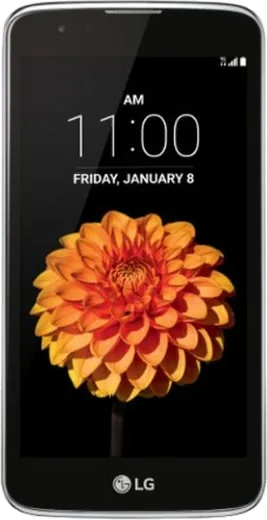
WhatsApp on LG K7
LG Android

WhatsApp for LG K7

Install the official WhatsApp on your LG K7 in a few simple steps.

WhatsApp Messenger 4.7 · 64.2M reviews Free · Android · ~40 MB · by WhatsApp LLC
Download WhatsApp

Ask a question / report a problem

You can ask any question about WhatsApp support on the LG K7 — leave it below and we'll help.

Ask a question

Can the LG K7 run WhatsApp?

Support ending soon
  • Operating systemAndroid
  • WhatsApp versionLatest supported

Latest known WhatsApp problems on LG K7

1

How do I install WhatsApp on the LG K7 before I travel?

Connect to Wi-Fi, open the Google Play Store, search for WhatsApp Messenger and tap Install, then open it and verify your number by SMS. The K7 ships with an older Android version, so if the Play Store says the app is incompatible, download the APK from WhatsApp's official site (whatsapp.com/android) and allow installs from unknown sources under Settings > Lock screen and security (or Settings > Security on some builds). Finish setup while you still have signal, since verification needs a working SIM with SMS plus data or Wi-Fi. See how others solved this on Reddit
2

I bought a used LG K7 - what should I check before setting up WhatsApp?

Confirm the previous owner did a factory reset and removed their Google account, or you may hit a Factory Reset Protection lock that asks for their credentials. If needed, do a clean reset under Settings > Backup & reset > Factory data reset. Check the phone is not carrier-locked or blacklisted by inserting your SIM and confirming you get signal and can send a test SMS, since WhatsApp verification depends on receiving a code. Once it is clean, sign in with your own Google account and install WhatsApp from the Play Store. See how others solved this on Reddit
3

I'm switching from my LG K7 to an iPhone - how do I move my WhatsApp chats?

Android-to-iPhone WhatsApp chat transfer uses Apple's 'Move to iOS' app during the iPhone's initial setup: install Move to iOS guidance prompts, keep both phones powered on, and follow WhatsApp's in-app transfer step when asked. A Google Drive backup made on the K7 (WhatsApp > Settings > Chats > Chat backup) protects your history but will NOT restore onto an iPhone, so you must use the Move to iOS flow rather than relying on the cloud backup. Note this transfer needs a recent WhatsApp version and a supported iOS release on the new phone. See how others solved this on Reddit
4

WhatsApp runs slowly and the LG K7 keeps freezing - how do I fix it?

The K7 has limited RAM and storage, so free up space under Settings > Storage and clear WhatsApp's cache via Settings > Apps > WhatsApp > Storage > Clear cache (this won't delete your chats). Turn off auto-download of photos and videos in WhatsApp > Settings > Storage and data so media doesn't pile up, and close background apps from the recents key. Keeping at least 1 GB free and the app updated from the Play Store keeps it usable on this low-end hardware. See how others solved this on Reddit
5

Does WhatsApp still work if I root my LG K7?

WhatsApp will install and run on a rooted K7, but rooting can fail Google's Play Integrity / SafetyNet check, which may block the app or break features like backups. If you have rooted with Magisk, hide root from WhatsApp by adding it to the DenyList (Magisk > Settings > Configure DenyList, enable it, then select WhatsApp), and keep your Google Drive backup current so you can recover chats. For day-to-day messaging, an unrooted K7 is the safer path. See how others solved this on Reddit
6

WhatsApp crashes on my LG K7 right after I rooted it - what now?

Post-root crashes usually come from the integrity check seeing root. Add WhatsApp to the Magisk DenyList so root is hidden, then reinstall it from the Play Store. Restore chats from your Google Drive or local backup during reinstall, and clear app data only as a last resort. If it still crashes, check Settings > Apps > WhatsApp > Permissions and confirm Storage and Contacts permissions are enabled. See how others solved this on Reddit

Ask a question / report a problem

You can ask any question about WhatsApp support on the LG K7 — leave it below and we'll help.

Ask a question

Watch: setting up WhatsApp

Prefer to watch? This short walkthrough shows the whole installation and number-verification flow.

How to install WhatsApp on LG K7 — video walkthrough

How to install WhatsApp on LG K7

1

Choose how to download

On your LG K7 you can get the official app two ways: from the Google Play Store — the easiest option, since it keeps WhatsApp updated automatically — or directly from the official website. You can download an APK file, by clicking a link “Download WhatsApp directly”.

2

Open WhatsApp

Launch WhatsApp from your home screen or app drawer and accept the Terms of Service to start setup.

3

Verify your phone number

Enter your phone number. If your LG K7 uses dual SIM, pick the line you want WhatsApp tied to, then enter the 6-digit code it sends by SMS — it usually fills in automatically.

4

Restore chats and finish setup

Restore your chat history from Google Drive (use the same Google account), add your name and photo, and tap Allow for notifications so messages and calls arrive reliably.

Stay safe: only ever install WhatsApp from the official Android source. The Download button above already points there — modified copies (GB/Plus/Aero WhatsApp) can get your number banned.

Comments (6)

No registration needed. No email required.
P
pablo.mSep 2, 2025

guys my K7 has whatsapp now thanks to this thx

AppWhatsOfficialSep 5, 2025

Thanks for the feedback!

E
ella00Aug 17, 2025

i been trying since morning pleaseee how to install on lg k7 😭😭

AppWhatsOfficialAug 18, 2025

Breathe! Follow the steps above one by one, tap Download first, and you will be chatting in no time.

J
joe.zMay 13, 2025

installé et opérationnel sur mon K7 💯

N
nightowlFeb 2, 2025

This is the only one that worked for me thx

P
priya92Jan 13, 2025

Installed in 2 min thanks again

S
sol_kOct 3, 2024

honestly had whatsapp on my k7 in no time